OpenClaw Memory System Explained Simply
CampeloClaw Team · · 5 min read
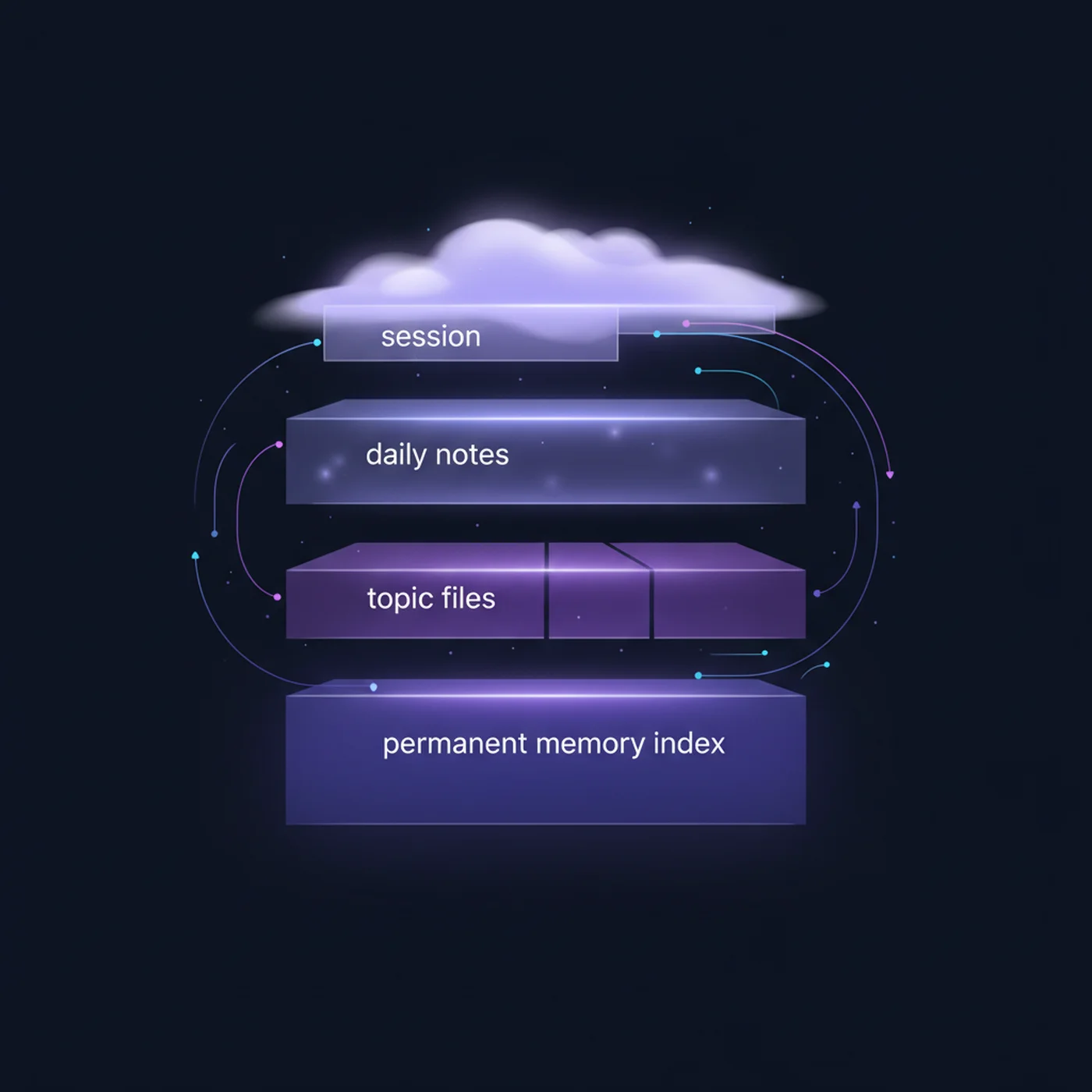
When you first set up OpenClaw, it knows nothing about you. It does not know your name, your communication style, your priorities, or your preferences. Within a week of use, it knows all of these things — and that transformation is what makes OpenClaw feel less like software and more like a colleague who has been working with you for months.
This guide explains how the OpenClaw memory system works in plain language, why it matters for getting better results, and how you can actively train your agent to become more helpful over time.
What Is OpenClaw Memory?
OpenClaw memory is a system that stores information about you, your preferences, your past conversations, and important facts — and makes this information available to your agent in future interactions. Unlike regular chatbots that forget everything when you close the window, OpenClaw remembers across conversations, days, weeks, and months.
Think of it like training a new employee. On day one, they ask you how you want things done. By week two, they already know. OpenClaw memory works the same way — it learns from every interaction and gets better over time.
How Memory Works Behind the Scenes
OpenClaw stores memories in structured files on your server. When you interact with your agent, it decides whether the conversation contains information worth remembering. If it does, it creates a memory entry with the key information, tagged by category. When handling future tasks, it searches its memory for relevant context.
- User memories: your role, preferences, habits, and communication style
- Conversation memories: key decisions, instructions, and outcomes from past conversations
- Fact memories: important information like your address, business details, contact preferences, and deadlines
- Skill memories: learned preferences for how to handle specific tasks — email tone, scheduling preferences, content style
Why Memory Matters (Practical Examples)
| Without Memory | With Memory |
|---|---|
| Drafts formal emails even when you want casual | Knows your email style is direct and concise |
| Suggests meetings during your lunch break | Knows you block 12-1pm for lunch every day |
| Asks "how would you like me to respond?" every time | Knows to be professional with clients, casual with team |
| Summarizes news about everything | Knows you only care about AI, fintech, and your industry |
| Uses your full name in messages | Knows you go by your first name with colleagues |
How to Train Your Agent's Memory
Memory training is not a formal process — it happens naturally through your daily interactions. But there are specific things you can do to accelerate it.
Correct it when it gets things wrong
When your agent drafts an email that is too formal, tell it: "Make that more casual. I always use a friendly tone with this client." It remembers the correction and applies it going forward. The first week requires more corrections, but they decrease rapidly.
Tell it about your preferences explicitly
You can proactively tell your agent things it should remember: "Remember that I never take meetings before 10am." "Remember that emails to John should always be formal." "Remember that I prefer bullet points over long paragraphs." These explicit instructions create strong memories.
Use the identity file for foundational information
OpenClaw has an identity file where you define who your agent is and who you are. This is the best place for foundational information: your name, your role, your business, your communication style, and any non-negotiable preferences. The identity file is always loaded — it is the foundation of your agent personality.
Managing and Deleting Memories
You have full control over what your agent remembers. You can view all stored memories, edit incorrect ones, and delete anything you do not want retained. This is important both for accuracy (removing outdated information) and privacy (removing sensitive data when needed).
- View memories: ask your agent "What do you remember about me?" or check the memory files directly
- Edit memories: tell your agent "Update your memory — my new email address is..." or edit memory files
- Delete memories: tell your agent "Forget that I mentioned..." or delete specific memory files
- Reset memories: delete all memory files to start fresh if your agent has accumulated incorrect information
Module 6 of our CampeloClaw course is dedicated entirely to the memory system. We cover identity configuration, memory training techniques, and advanced personalization — transforming your agent from generic to genuinely useful.
Frequently Asked Questions
Written by CampeloClaw Team
We teach non-technical users how to build AI employees with OpenClaw.
Keep reading
Ready to master OpenClaw?
Go from zero to running your own 24/7 AI assistant with our hands-on course.
Get Access→